01 PLAN
A little clarity.
A lot of possibility.
The project, the weekly shop, the things on your mind. Give them a place, and find your next small step.
Take a closer look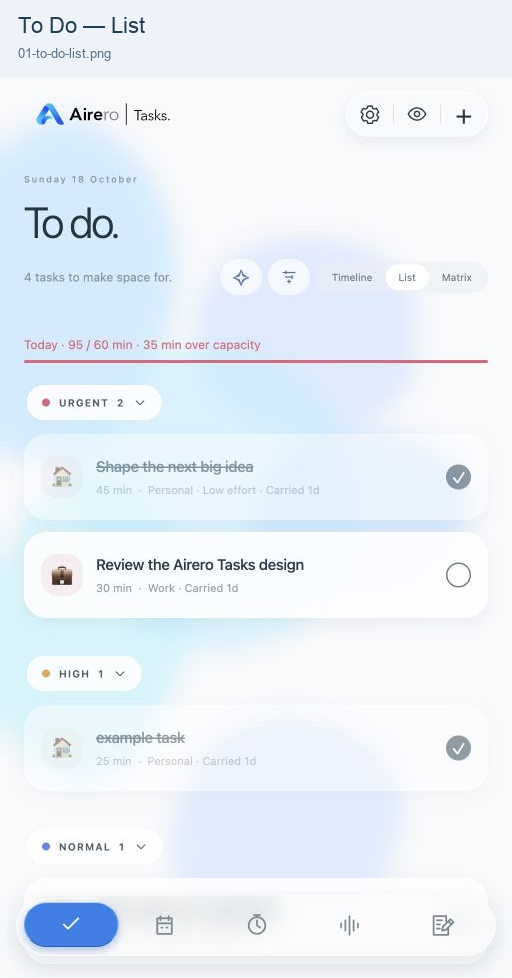

MEET AIRERO TASKS
For work plans, life admin and the ideas in between.
Bring tasks, focus, capture and memos into one thoughtful everyday app.
01 PLAN
The project, the weekly shop, the things on your mind. Give them a place, and find your next small step.
Take a closer look02 FOCUS
Choose a task, set a timer and make a little headway. A calmer space for the work you want to do.
Take a closer look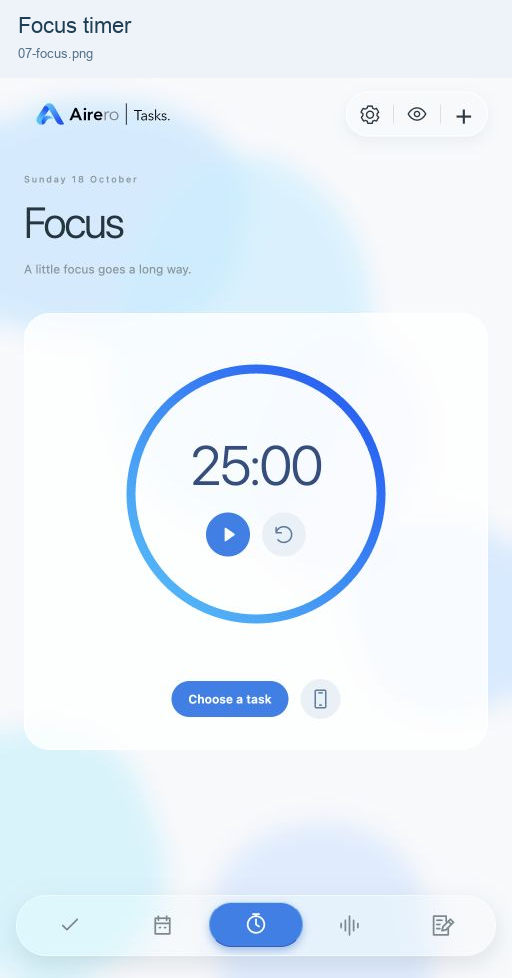
03 CAPTURE
Get a passing thought down, review the details and choose what becomes a task or a memo.
Take a closer look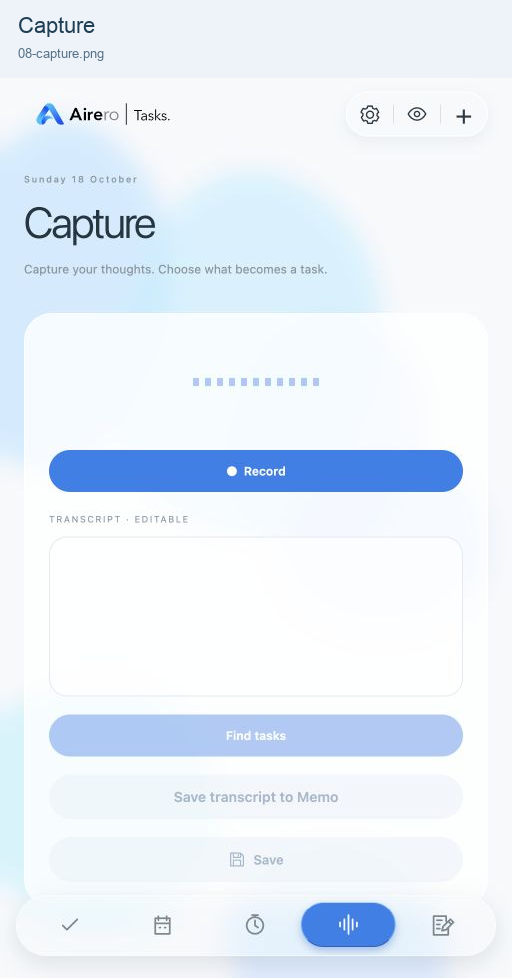
04 MEMO
A colourful home for notes, ideas and the little things you’ll want to come back to.
Take a closer look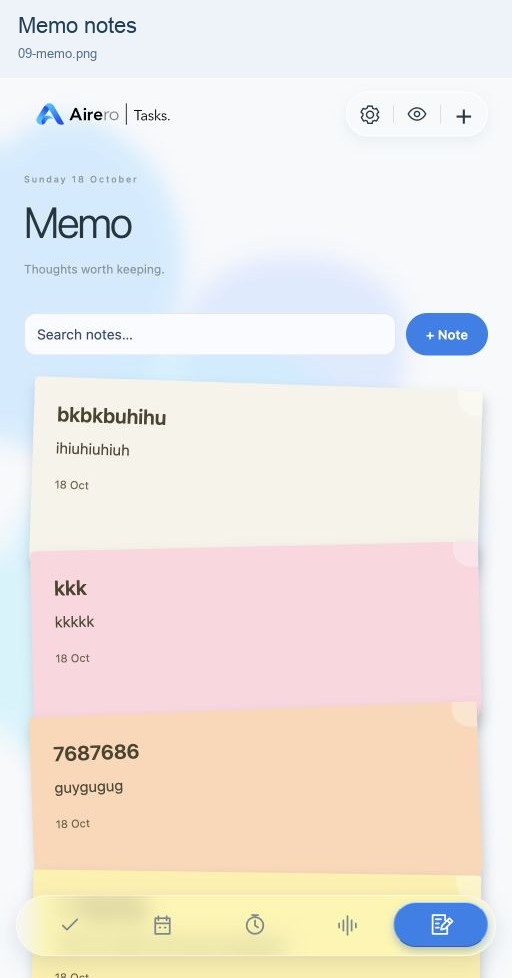
EXPLORE THE DETAILS
Explore what’s inside Airero Tasks.
Capture, organise and make progress on what matters.
Get thoughts out of your head in seconds.
Separate work, home and everything in between.
See the urgent and the important more clearly.
Break bigger tasks down with checklists.
Keep regular tasks moving with repeats.
Choose reminders for the things that matter.
Scroll or swipe to browse · Select a screen to enlarge
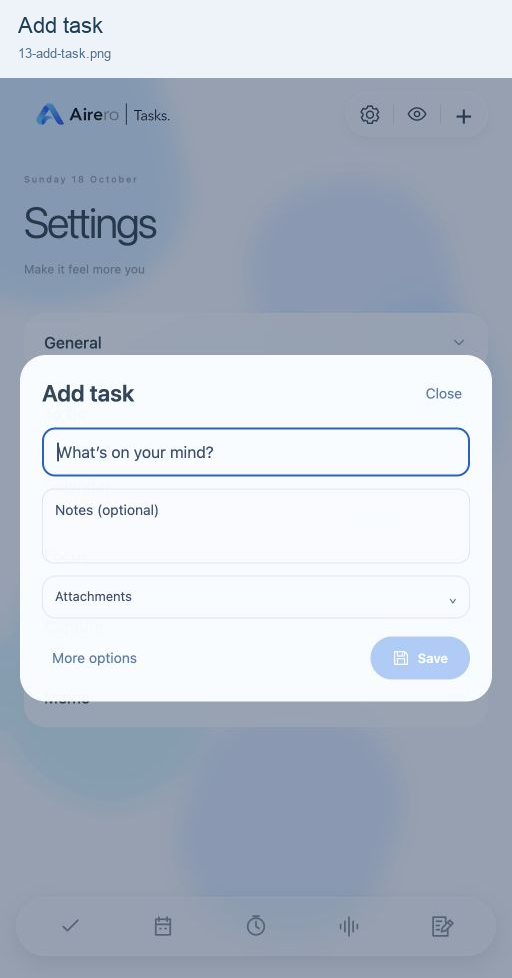
Create a task from the + button, then open more options without losing the draft.
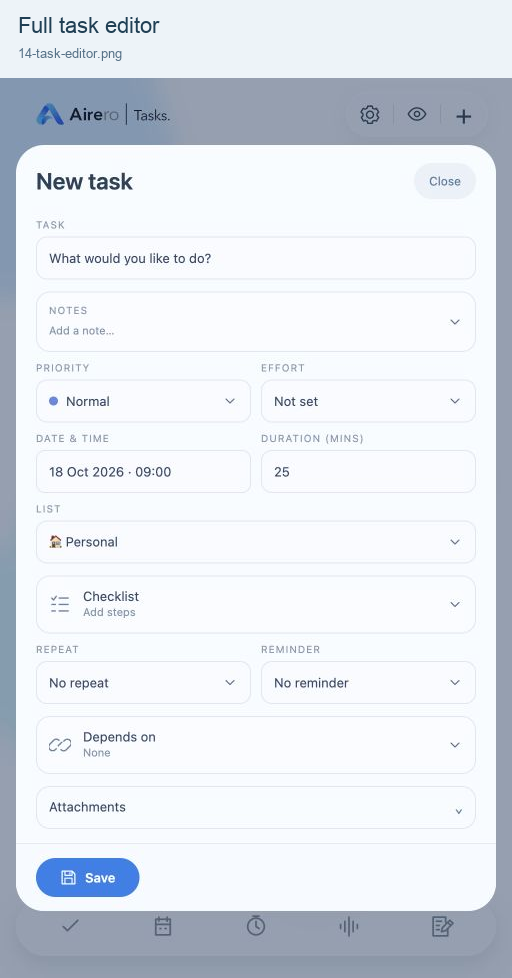
Edit the title, notes, date, start time, estimated duration, priority and list.
Organise tasks as Urgent, High, Normal or Low, with colour-coded indicators.
Create and delete lists to separate areas such as Personal and Work. Deleting a list keeps its tasks as Unlisted.
Give each list an emoji. Personal defaults to 🏠 and Work to 💼.
Browse task cards grouped into collapsible priority sections.
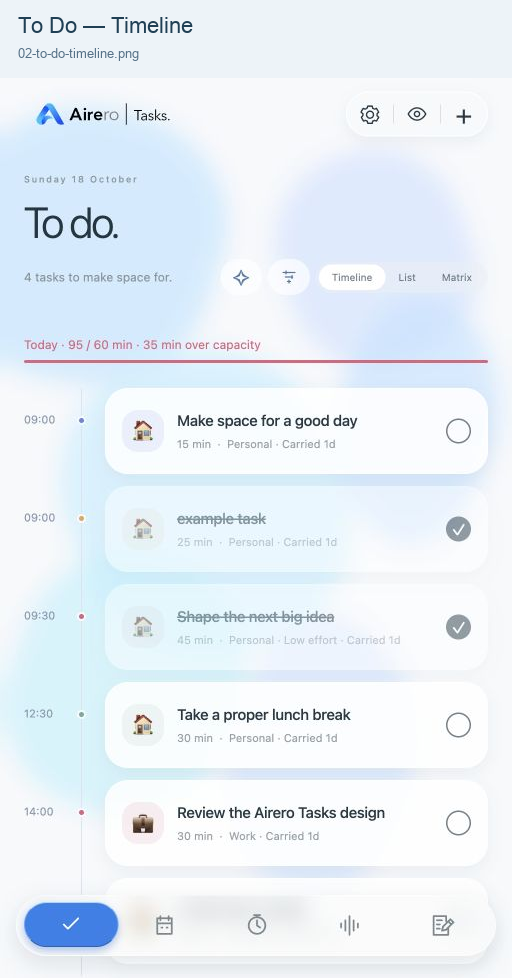
See tasks ordered by their scheduled time.
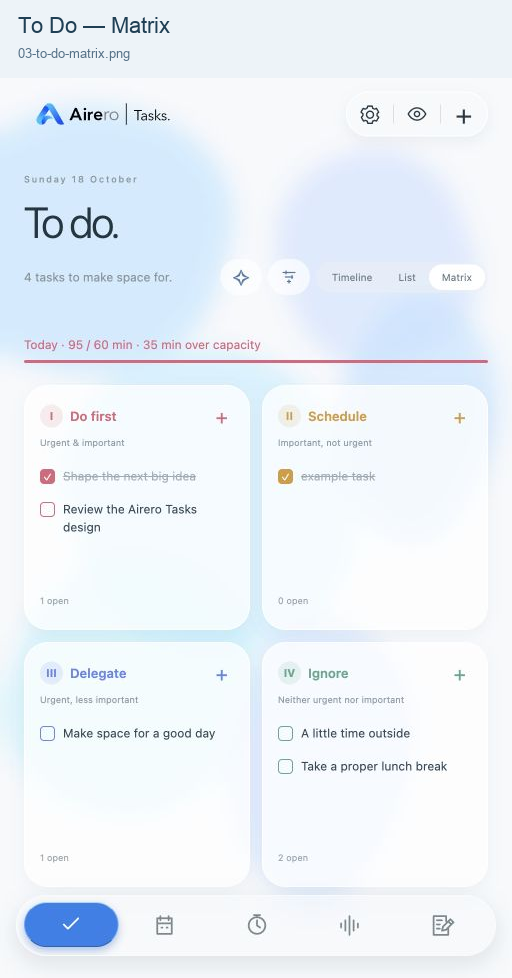
Organise tasks into Do first, Schedule, Delegate and Ignore quadrants within To Do.
Search task titles, notes and checklist text; filter by priority, list or completion status.
Reorder tasks and move them between supported priority groups or calendar dates.
Mark tasks complete or return them to the active list.
Control whether completed tasks remain visible.
Break a task into smaller steps and see its completion progress.
Identify tasks that must finish first. Blocked tasks cannot be completed or started in Focus until their dependencies are resolved.
Label tasks as Low, Steady or High effort to support planning recommendations.
Repeat tasks daily, on weekdays, weekly or monthly. Completing one creates the next occurrence.
Request notifications at the start time, or 5 minutes, 15 minutes or one hour beforehand.
Attach files and links to tasks. Files remain stored on the current device.
Carry unfinished past tasks forward, retaining their original date and the number of days carried.
See your time clearly and plan what’s next.
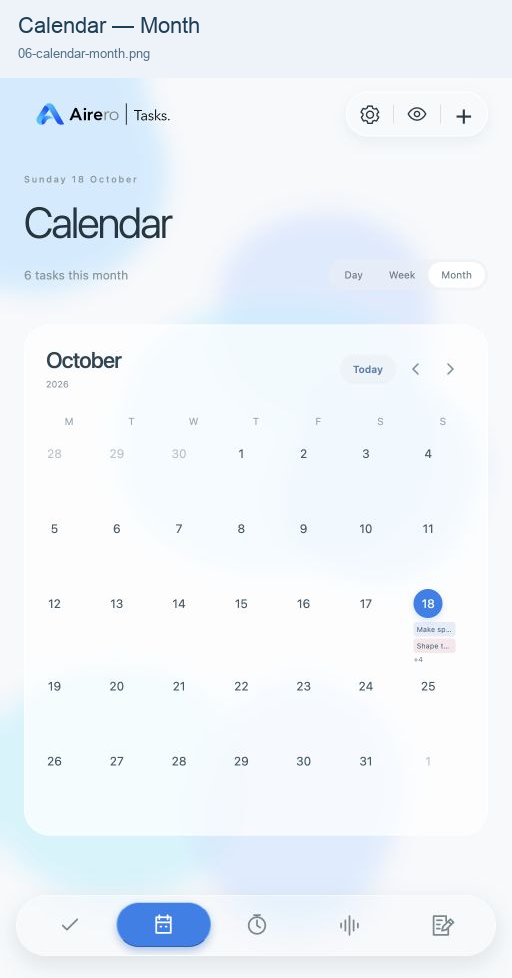
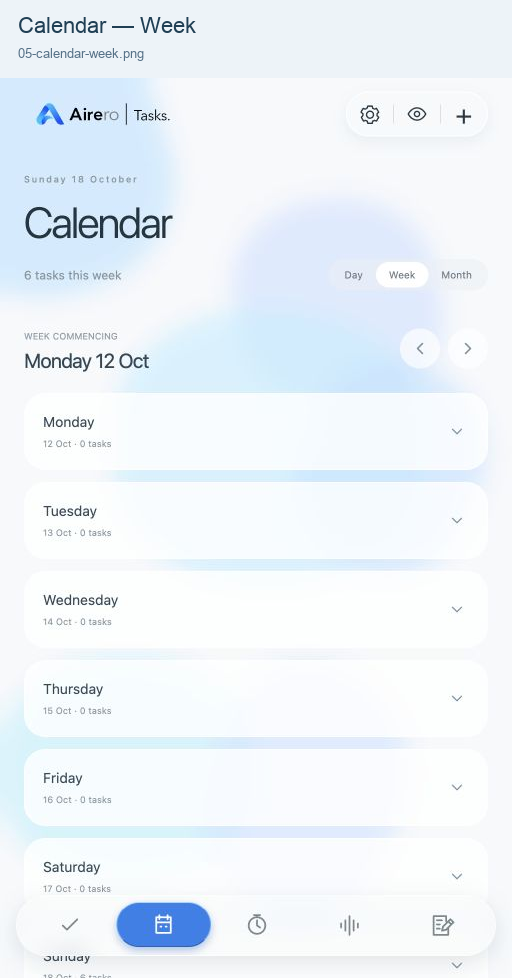
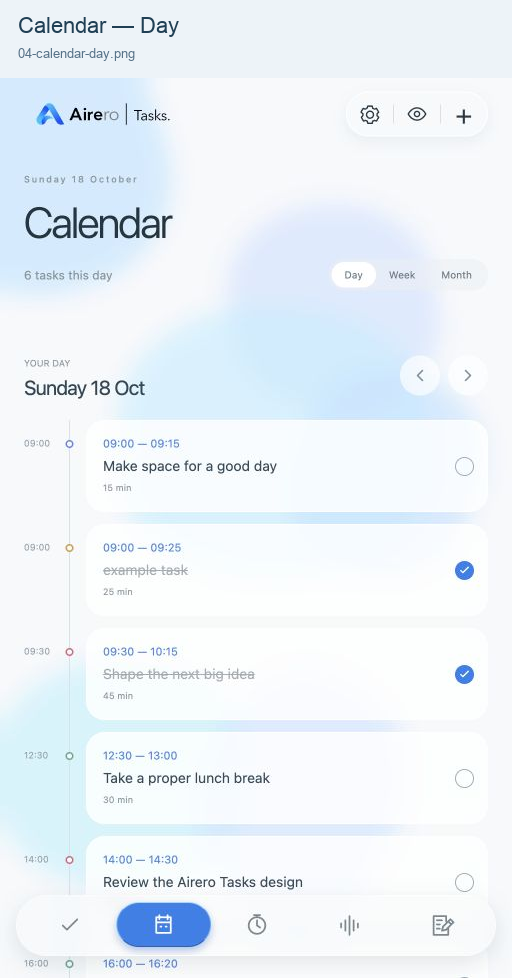
Move between day, week and month views.
Review scheduled times and task durations.
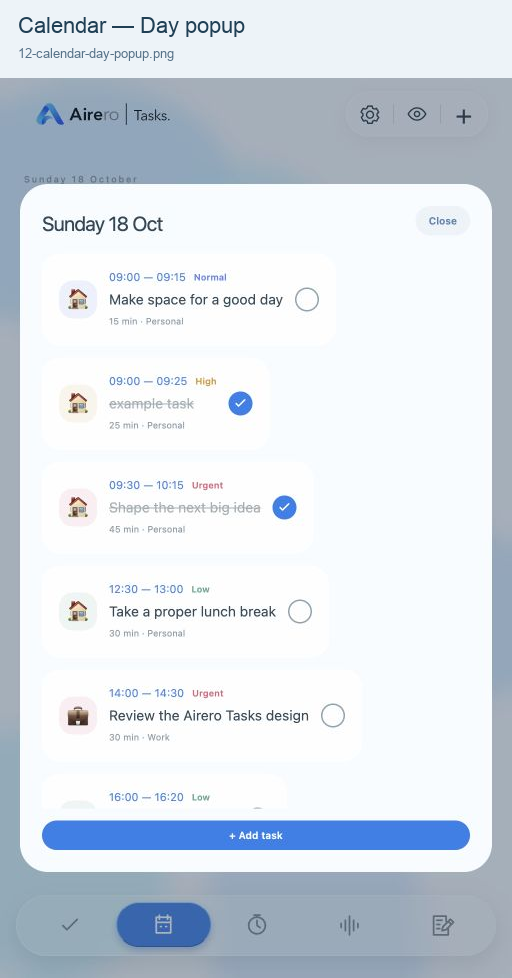
Complete, edit or reschedule tasks from the calendar.
Scroll or swipe to browse · Select a screen to enlarge
See a day’s tasks with scheduled times and durations.
Expand or collapse individual days to review their tasks.
See scheduled tasks across a monthly calendar.
Open a date from the month view to inspect, edit or add tasks.
Complete or reinstate tasks directly from weekly rows, day view and the day popup. Completed circles show centred white ticks on blue.
Move between days, weeks and months, or return to today.
Move tasks to another supported date by dragging them.
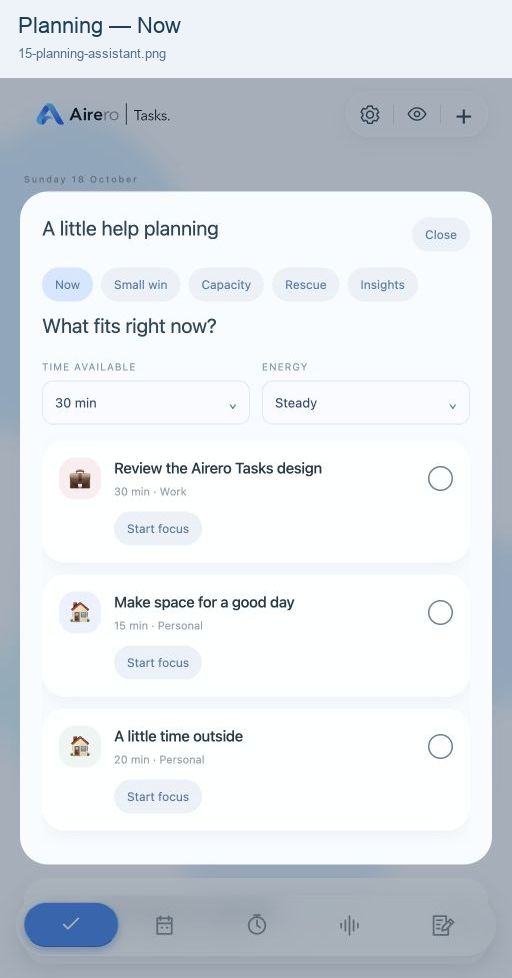
Find a next step that fits the day you actually have.
Find tasks that fit your time and energy.
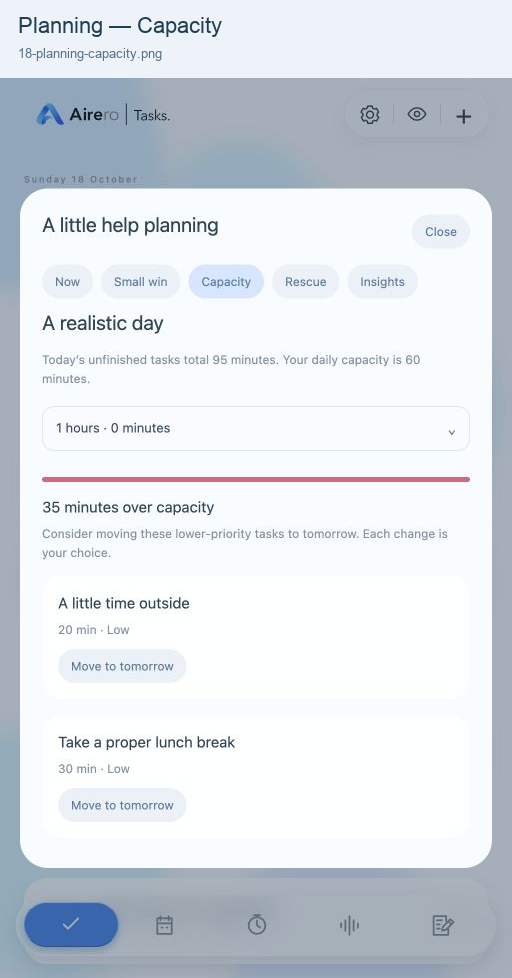
Compare planned work with daily capacity.
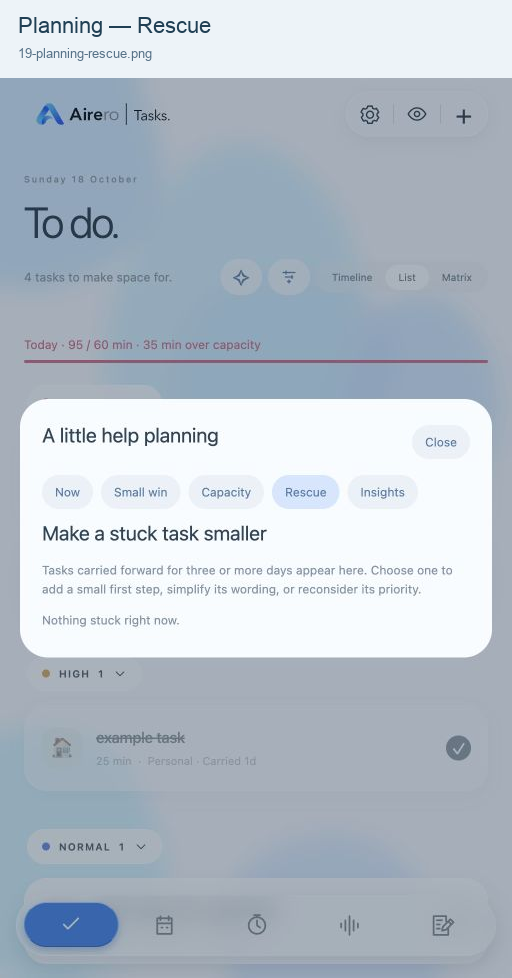
Rescue stuck tasks and make progress feel possible.
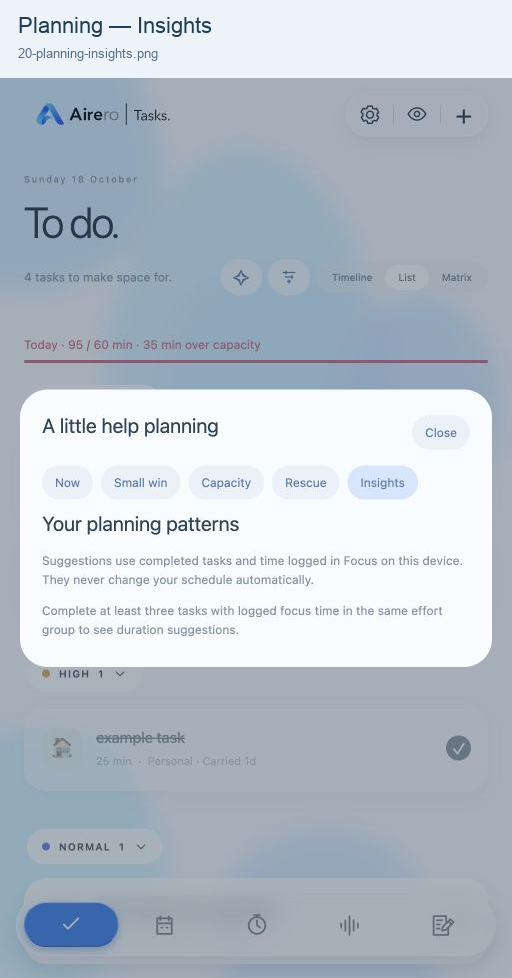
Scroll or swipe to browse · Select a screen to enlarge
Suggest available tasks that fit the time and energy you have.
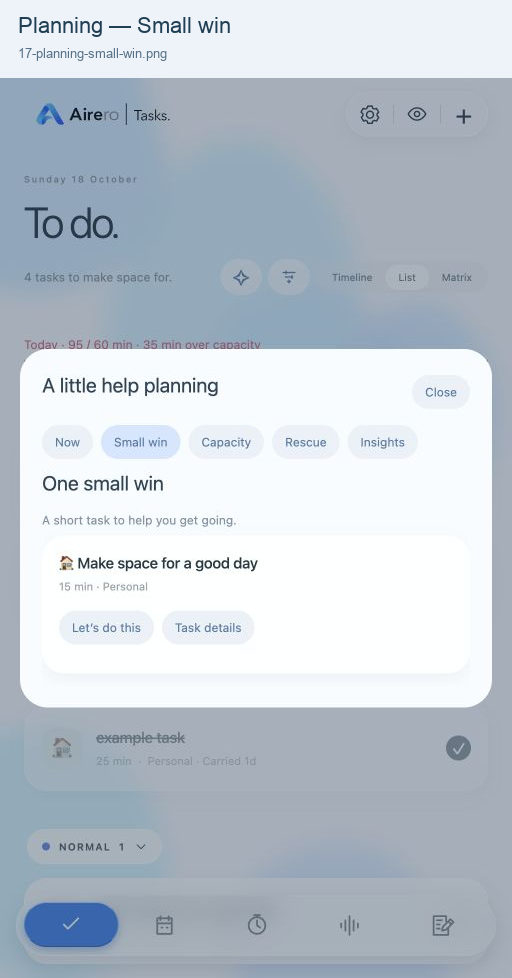
Find a short, available task to help you get started.
Set how much task time realistically fits into your day.
Compare planned minutes with your capacity. The indicator turns red when you are over capacity and blue when within it.
Identify lower-priority tasks you could move to tomorrow. Changes remain your choice.
Highlight tasks carried forward for three or more days and help you break them down, simplify them or reconsider their priority.
Use completed tasks and logged focus time to show patterns in how long different effort levels take.
A calmer space for one thing at a time.
Choose a task and start a focused countdown.
Work through the next item on your checklist.
Log focus time against the task you choose.
Try the full-screen visualiser for a simpler view.
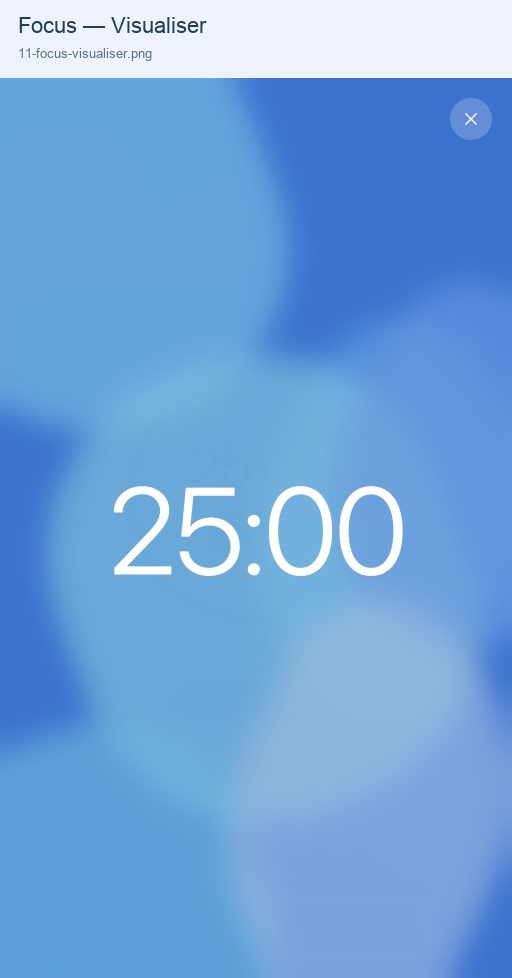
Scroll or swipe to browse · Select a screen to enlarge
Run, pause and reset a countdown using controls inside the timer circle.
Show time remaining through a moving ring using the Airero logo’s gradient.
Choose an unfinished task from a popup and set the timer to its estimated duration.
See the task or next unfinished checklist step, open its full details or clear the selection.
Complete the next task step from the Focus screen.
Record time spent focusing against the selected task for planning insights.
Choose a default session length of 15, 25, 45 or 60 minutes; the default is 25 minutes.
Store a preferred rest length of 5, 10, 15 or 20 minutes; the default is 5 minutes. The current Focus screen does not have a separate rest-timer button.
Open a blue lava-style background with blurred moving shapes and a large white countdown.
Keep a passing thought before it disappears.
Dictate where supported, or type your thoughts.
Review suggested tasks, dates and priorities.
Save an idea as a task, a memo or a transcript.
Select the screen to enlarge
Dictate thoughts into an editable transcript, where supported by the device or browser.
Moving sound bars indicate when recording is active.
Correct or expand captured text manually.
Split a transcript into suggested task entries.
Edit suggestions and choose which ones to save.
Recognise phrases such as today, tomorrow, weekdays and written dates such as “21 October.”
Recognise times such as “at 10am,” “at 14:30,” noon and midnight.
Suggest priorities from phrases such as “this is urgent” or “high priority.”
Edit suggested dates, times and priorities before creating tasks.
Send each reviewed item to either Tasks or Memo.
Save the full transcript—or a selected passage—as a note.
Save transcripts and reopen them later.
A colourful home for thoughts worth keeping.
Write notes with subjects, colours and attachments.
Search notes and arrange them in your own order.
Password-protect note text and attachments.
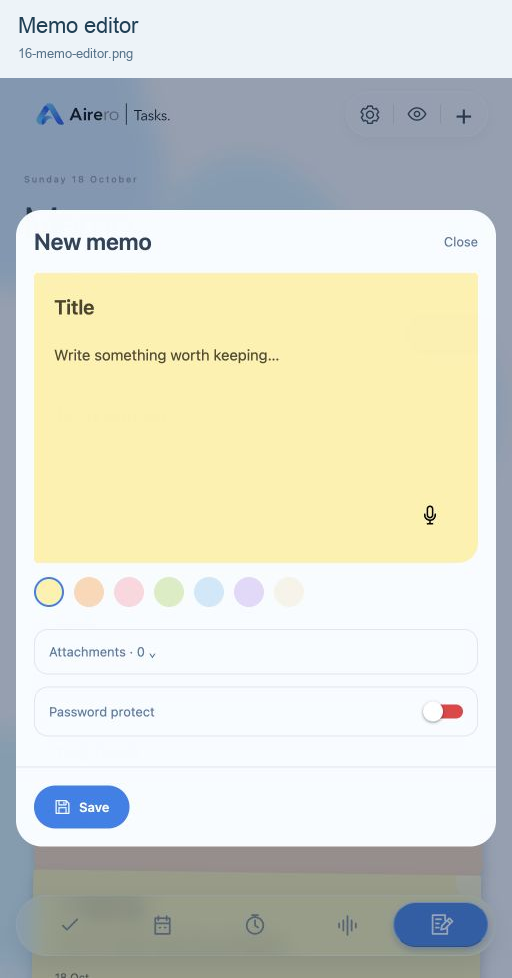
Scroll or swipe to browse · Select a screen to enlarge
Store thoughts on overlapping, slightly rotated cards with shadows and folded-corner styling.
Choose yellow, peach, pink, green, blue, purple or off-white paper.
Write and edit note subjects and body text.
Search ordinary notes and the visible subjects of protected notes.
Arrange notes into your preferred order.
Use the microphone inside the note field to dictate text.
Add files and links to notes.
Encrypt a note’s text and attachments while keeping its subject visible. Passwords cannot be recovered.
Protected notes close and lock when you leave the editor or Memo, or background an existing protected note.
Choose Standard or Handwritten for note titles and text, with a live preview in Settings.
Make Airero Tasks feel a little more you.
Switch between light and dark appearance.
Control sounds and motivational messages.
Supported effects respect reduced-motion settings.
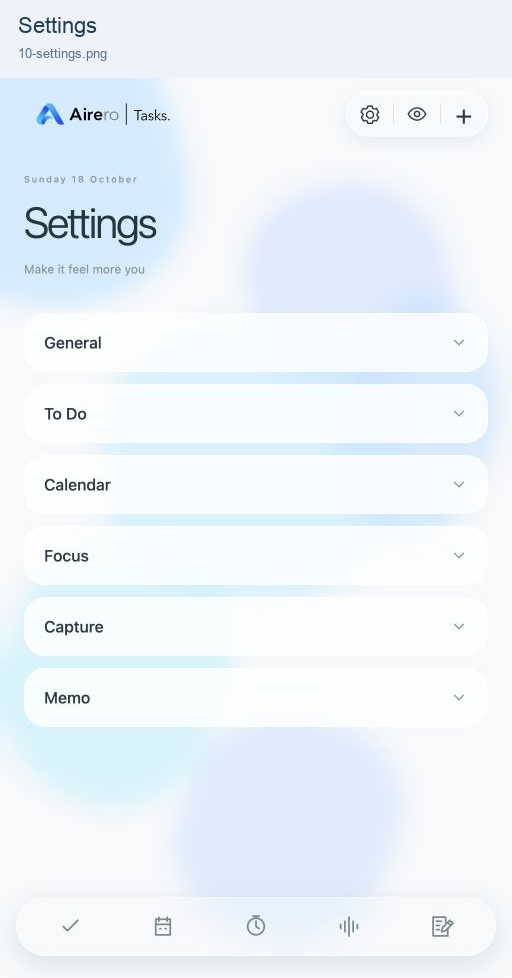
Select the screen to enlarge
Switch between two themes and remember the preference.
A translucent bottom bar sits over the softly animated background.
Task cards disappear through a diagonal vapour wipe.
Reopened tasks gently reform, settle into place and briefly glow.
Distinct completion and reinstatement sounds, each with its own setting.
Show rotating encouragements, daily completion milestones and a fresh-start message when reinstating tasks.
Motivational cards disappear into blue, aqua and purple bubbles.
Simplify supported animations when the device requests reduced motion.
Separate General, To Do, Calendar, Focus, Capture and Memo sections, with one dropdown open at a time.
Remember tasks, notes, list preferences and settings on the current device.
YOUR NEXT STEP
Want to try Airero Tasks? Contact us for the latest availability and access details.
Ask about Tasks accessA public download or launch link hasn’t been announced on this website yet. We’ll add direct product links here when available.
The features above describe the current build. Native speech, reminders, widgets and file handling still need device testing; availability varies by platform. Browser reminders require the page to stay open.
Tasks and memos currently use device storage. Active cloud sync and shared task collaboration aren’t included in this preview.
Contact Airero support →MORE FROM AIRERO
Discover Airero Studio, our connected workspace in development.
Explore Studio & get updates