01 PRODUCTS
Every product.
A clearer starting point.
Explore your catalogue, compare supplier pricing and bring product choices into one workspace.
Take a closer look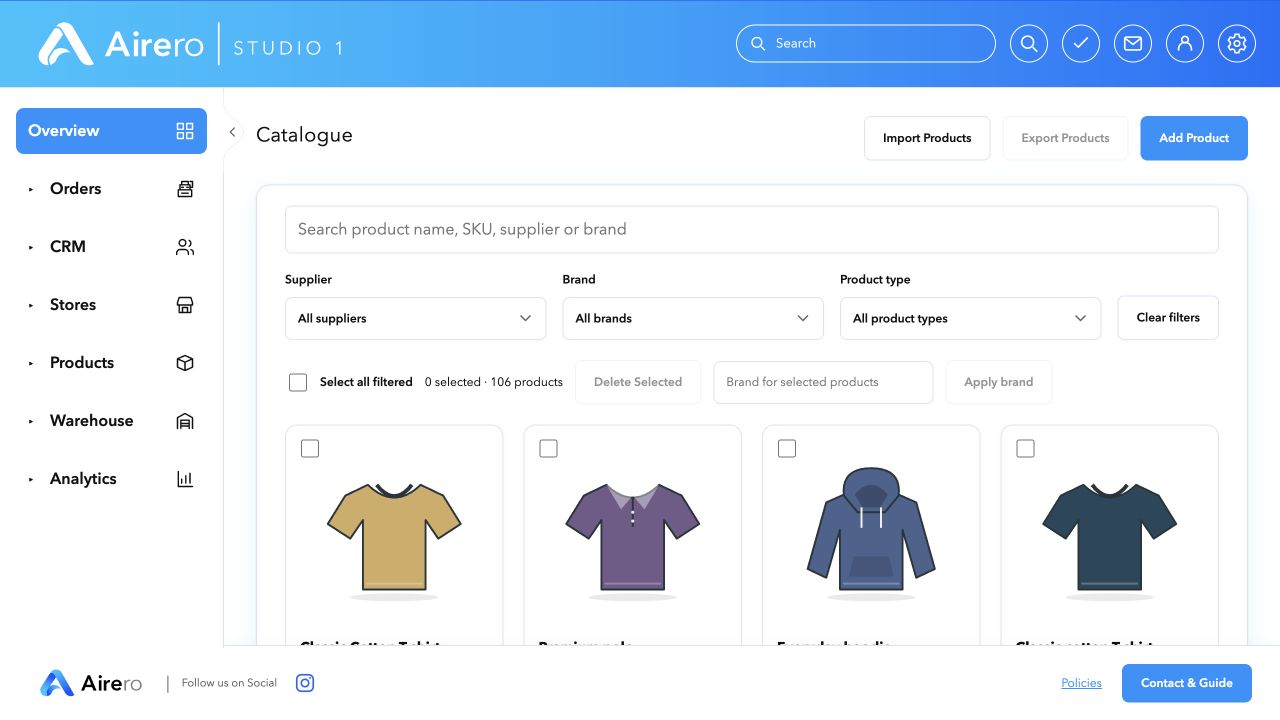

AIRERO STUDIO · COMING SOON
Products, pricing, customers and orders.
A connected workspace taking shape, one thoughtful module at a time.
A work in progress. Explore the current preview below, with demo records and sample dashboard metrics.
01 PRODUCTS
Explore your catalogue, compare supplier pricing and bring product choices into one workspace.
Take a closer look02 DRAFTS
Build a draft with product variations, quantities, decorations, delivery and totals.
Take a closer look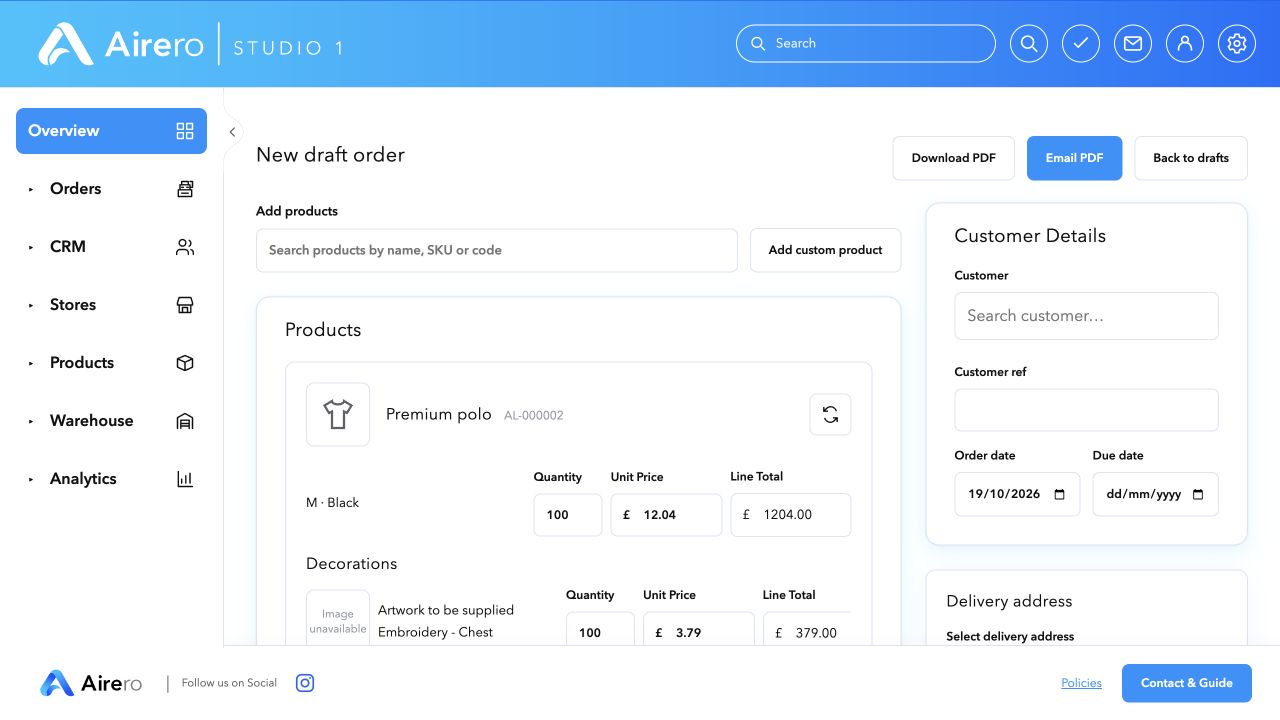
03 ORDERS
Review processing status, select suppliers and raise linked purchases as work moves forward.
Take a closer look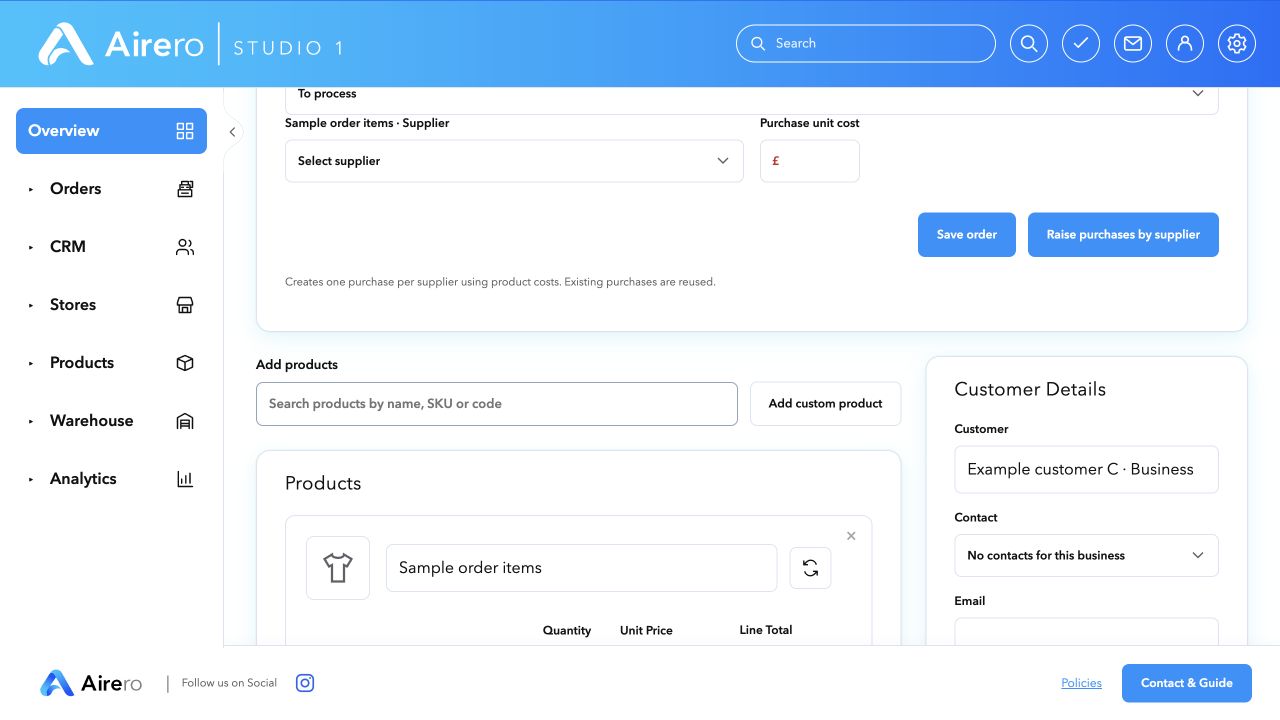
04 WORKSPACE
See stored orders awaiting processing alongside a developing overview. Business metrics currently show sample data.
Take a closer look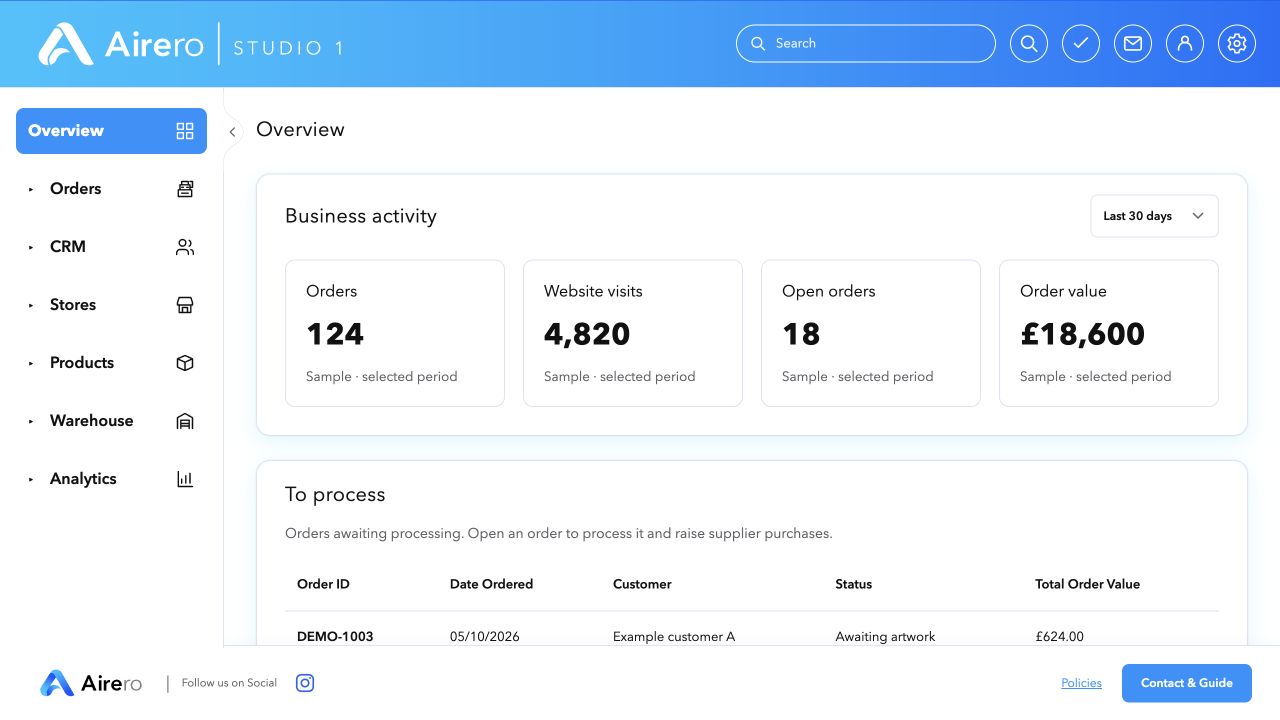
INSIDE THE DEVELOPMENT PREVIEW
Discover the features taking shape inside Studio.
A foundation for products with more possibilities.
Search by supplier, brand and product type.
Maintain supplier costs and decoration methods.
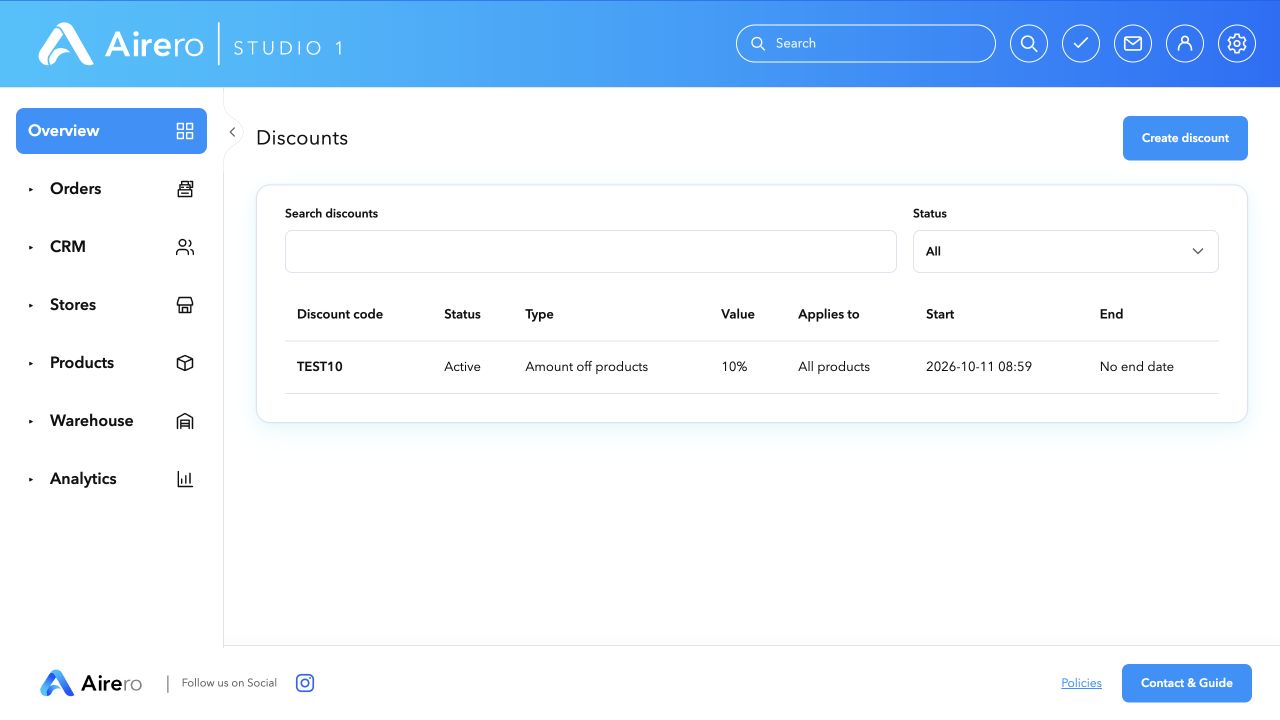
Explore reusable options and discount rules.
Scroll or swipe to browse · Select a screen to enlarge
Search and filter products by supplier, brand and product type.
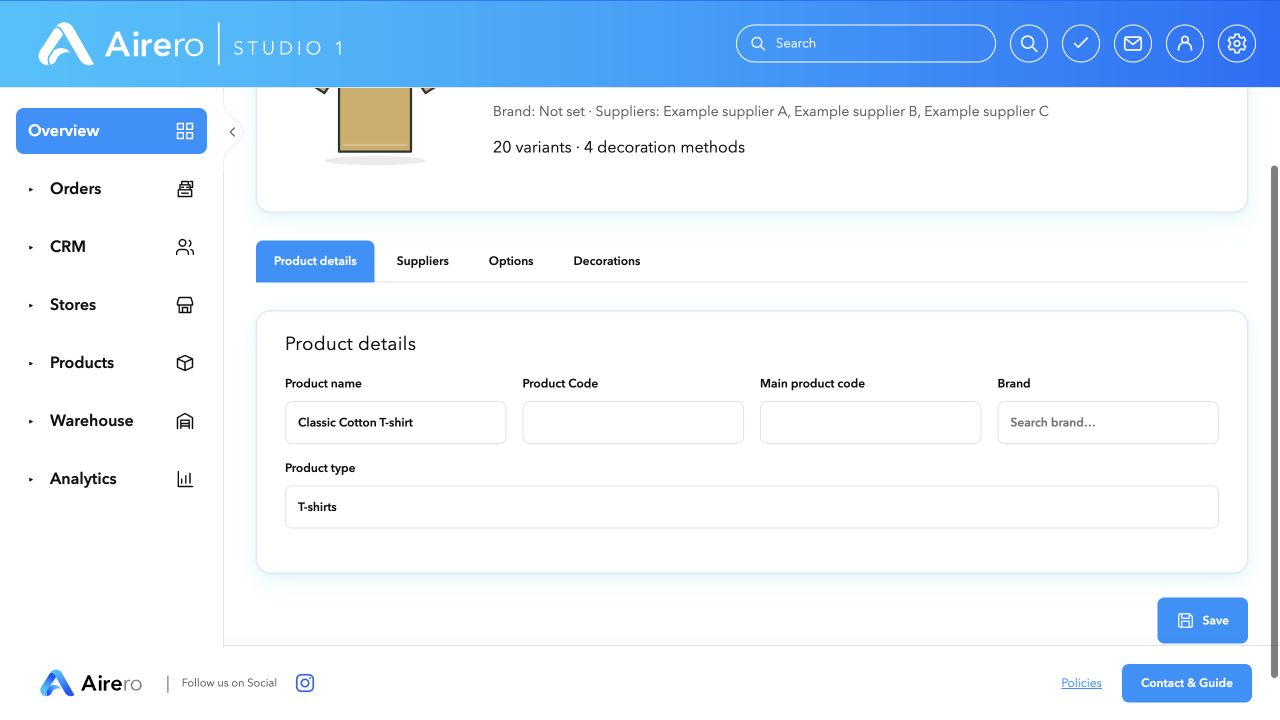
Manage product details, codes, brands and variations.
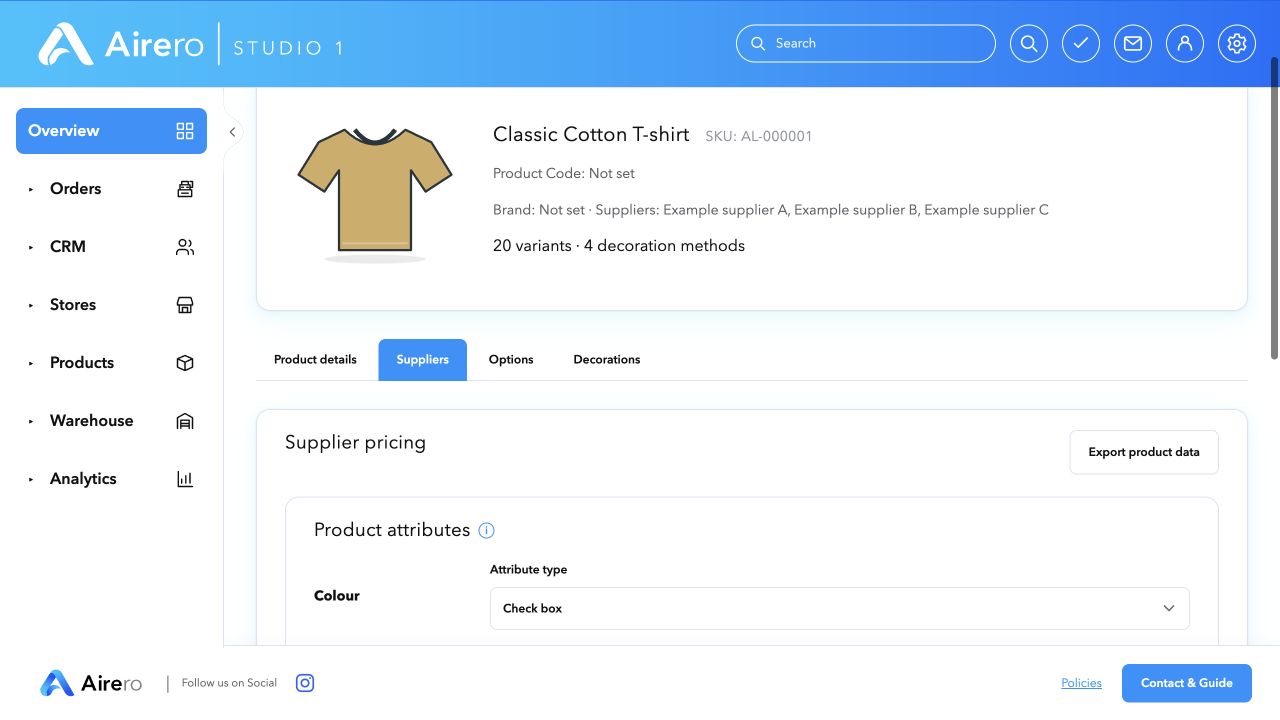
Link multiple suppliers, maintain supplier codes and costs, and choose a default supplier.
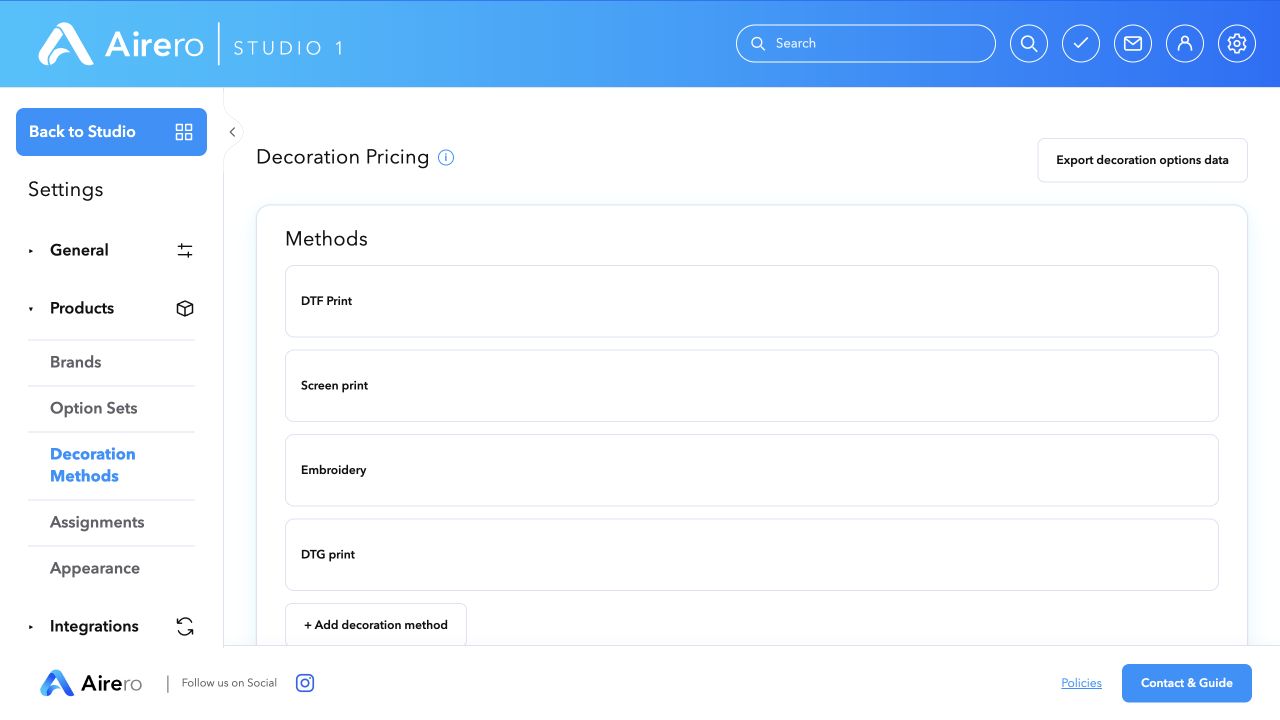
Manage reusable print and embroidery methods and their pricing.
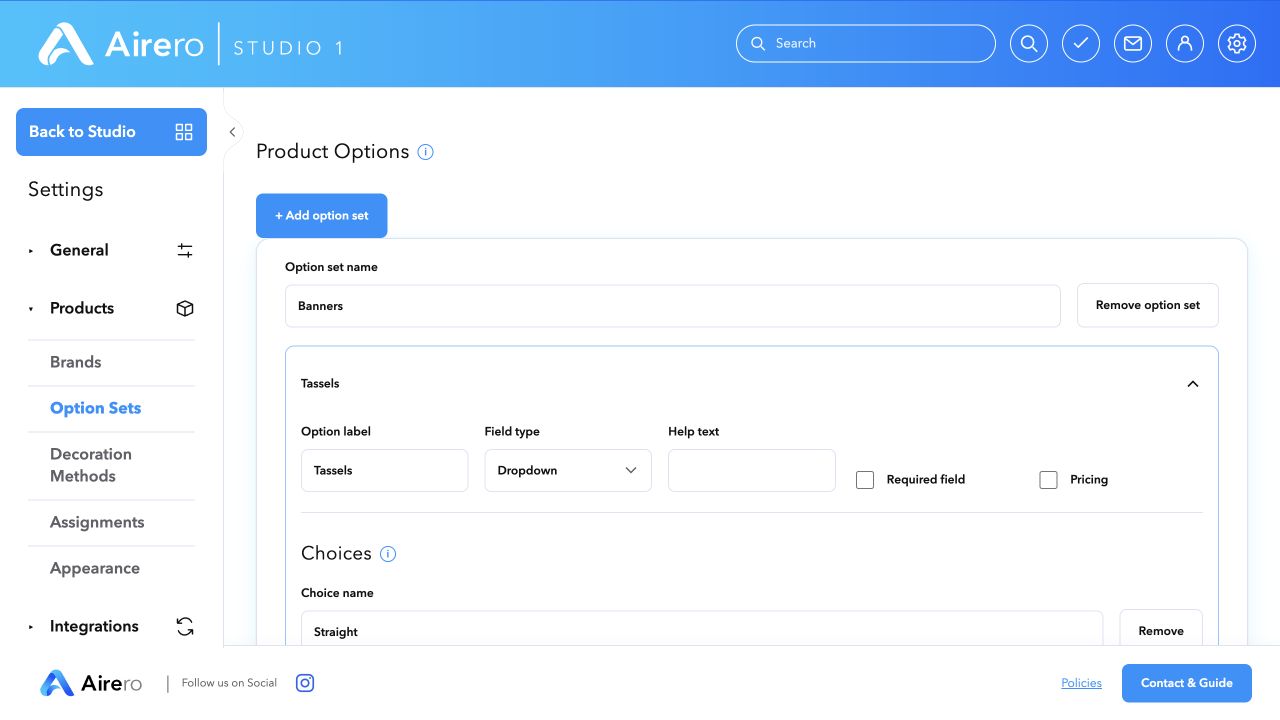
Create reusable customer choices and show fields based on earlier answers.
Configure codes with eligibility, product scope, minimum requirements, dates and usage limits.
From an enquiry to the next supplier purchase.
Bring products, decorations and totals together.
Search orders and review processing status.
Raise a linked purchase for each supplier.
Scroll or swipe to browse · Select a screen to enlarge
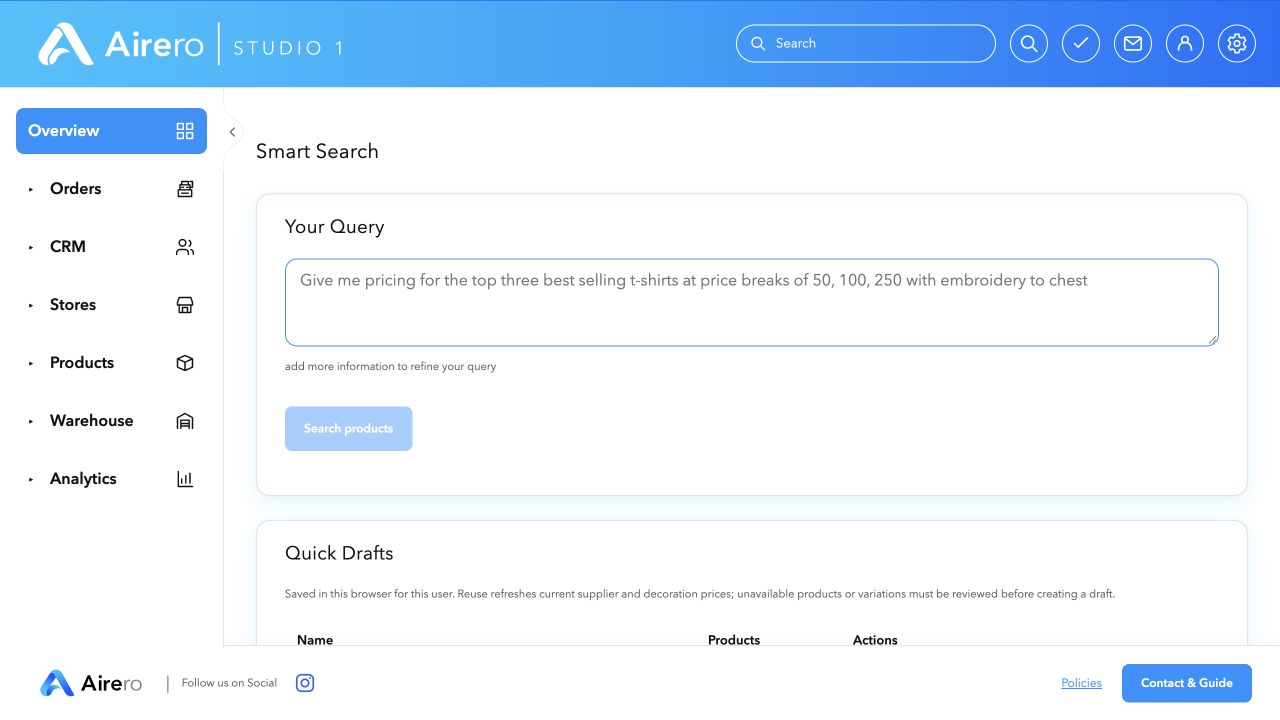
Find catalogue products, compare quantity pricing and reuse saved product selections.
Quick Draft records in the preview include browser-local storage.
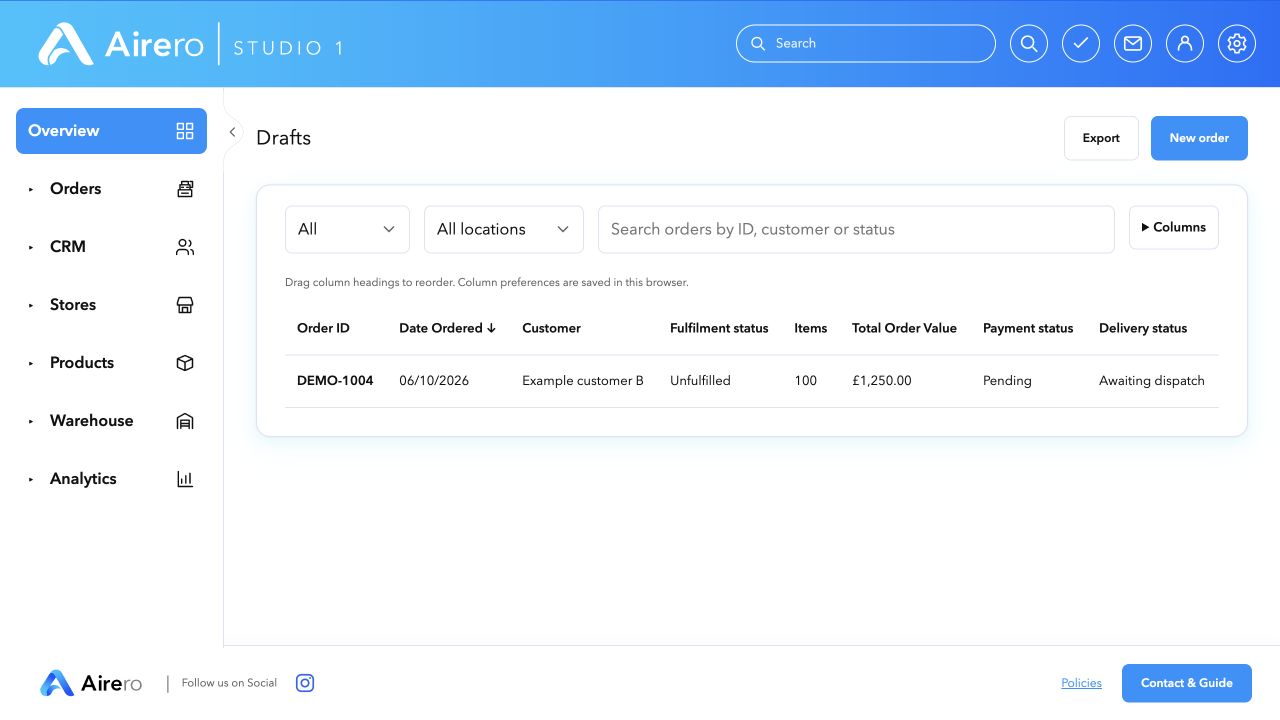
Find, reopen and export draft records.
Draft records in the preview include browser-local storage.
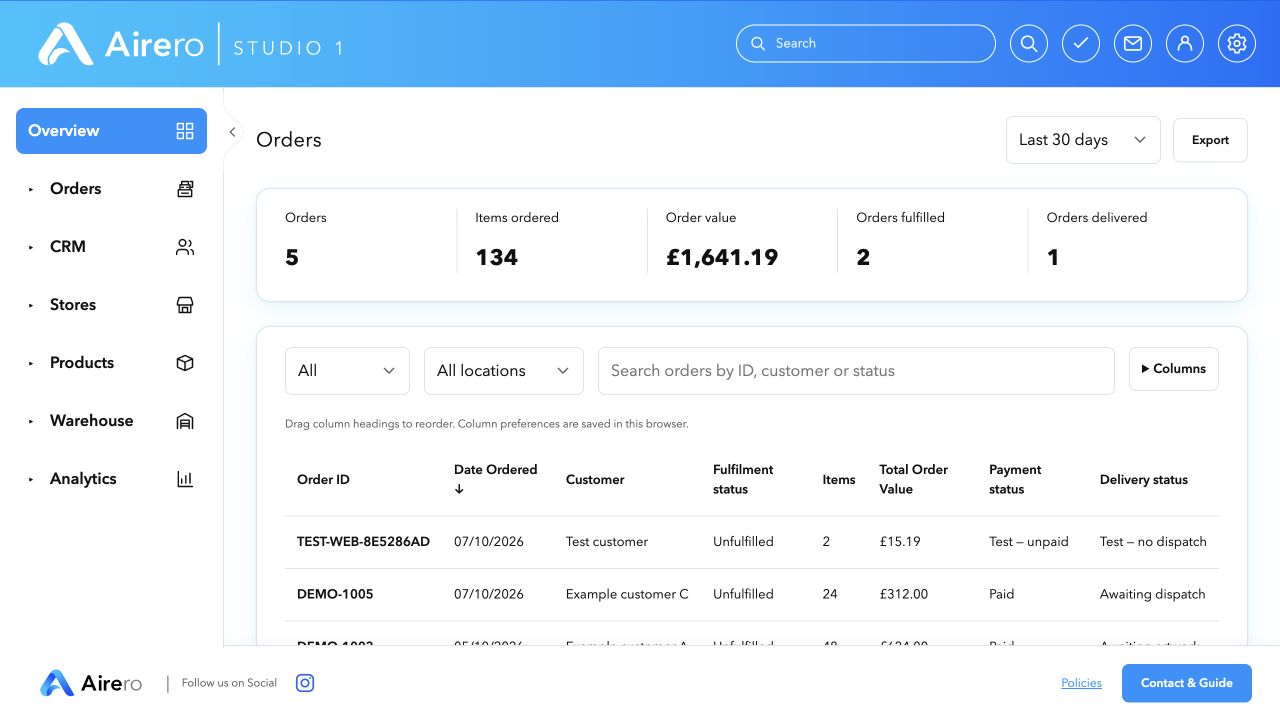
Confirmed paid drafts become orders with searchable lists and status filters.
Live payment transactions were not tested during capture.
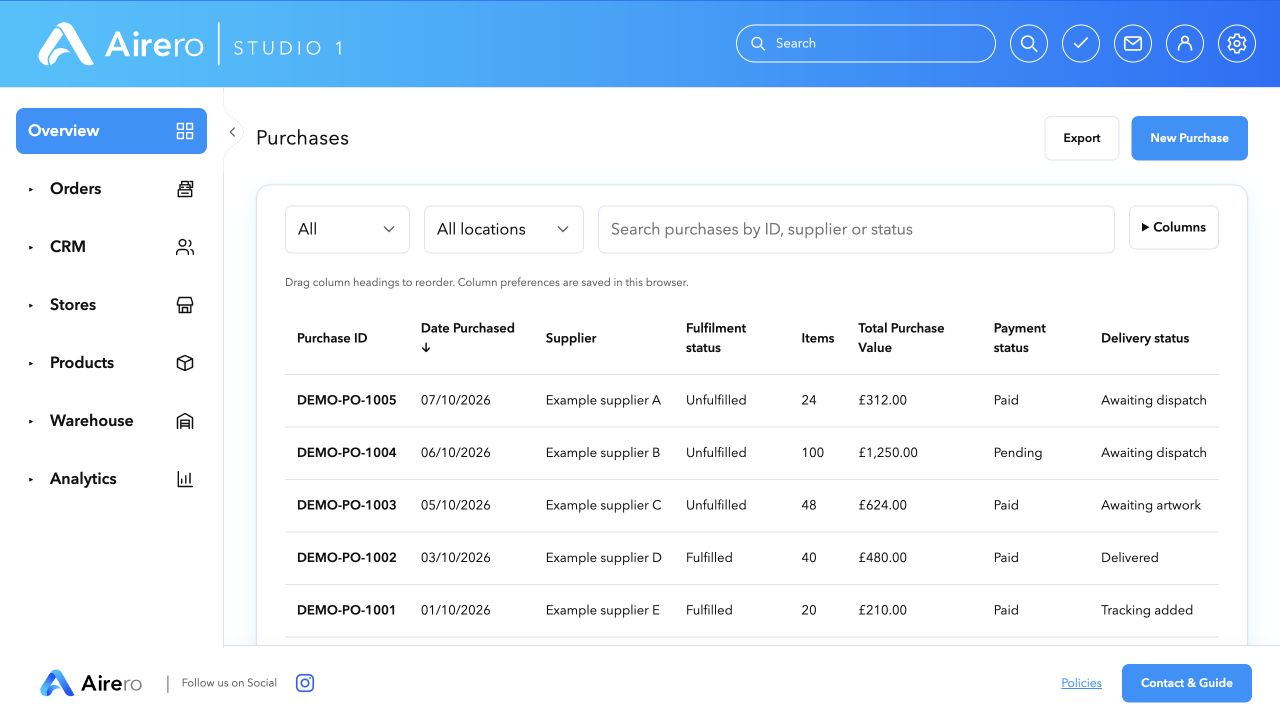
Track supplier purchases raised from orders.
Purchases cover product quantities and costs. Creating a purchase does not send it to a supplier.
Build product variations, quantities, decorations, setup charges, delivery, discounts and VAT totals. Download or email PDFs.
Email delivery requires configured provider accounts, a sending domain and a public app address.
Set processing status, select suppliers and purchase costs, then raise one linked purchase per supplier without duplicates.
Decorations and delivery are not automatically purchased. Creating a purchase does not send it to a supplier.
Relationships and documents, with your own identity.
Manage customers, contacts and addresses.
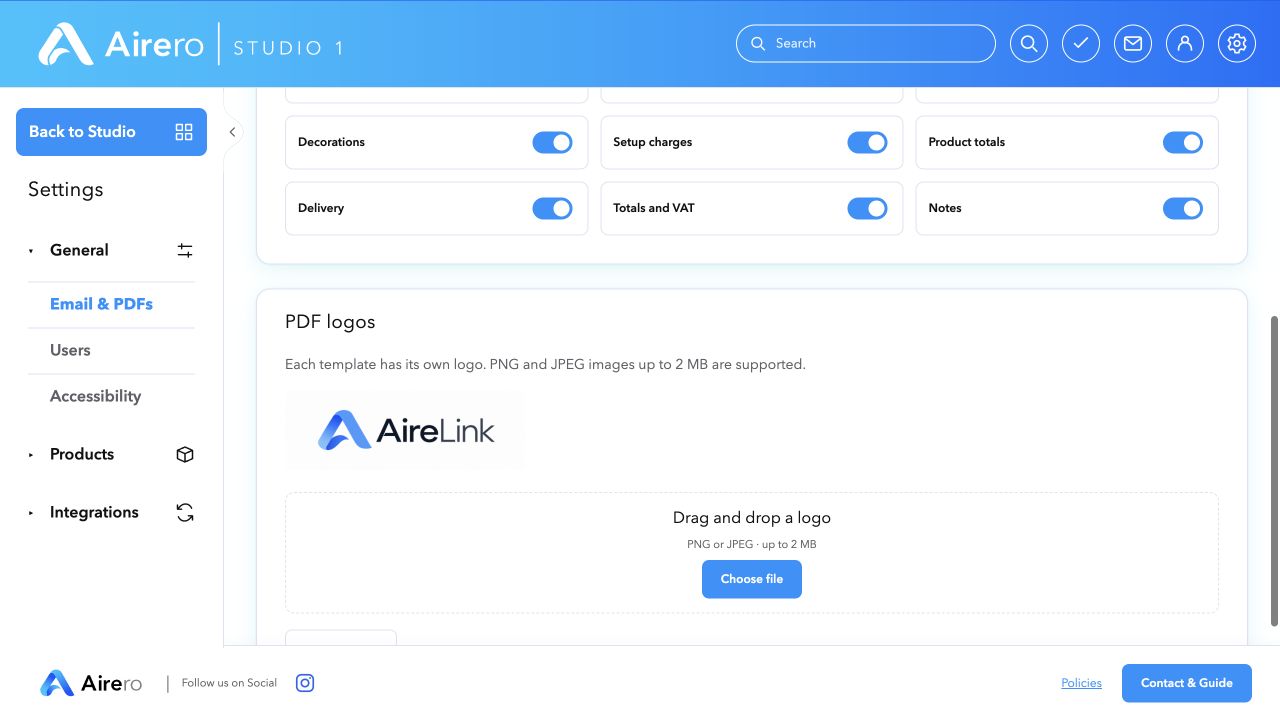
Choose PDF colours, sections and template logos.
Configure your own email and payment providers.
Scroll or swipe to browse · Select a screen to enlarge
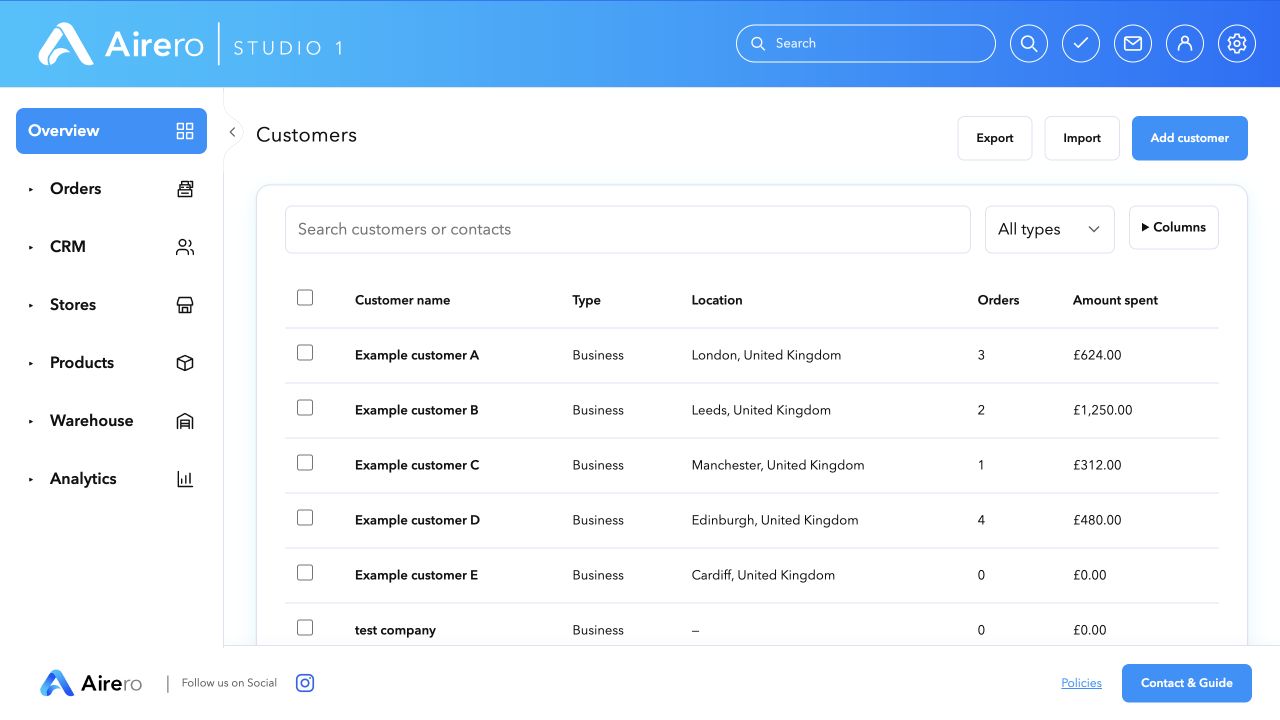
Manage business customers, individual customers, contacts and addresses.
The CRM preview includes browser-local storage; shared cross-device CRM is not yet verified.
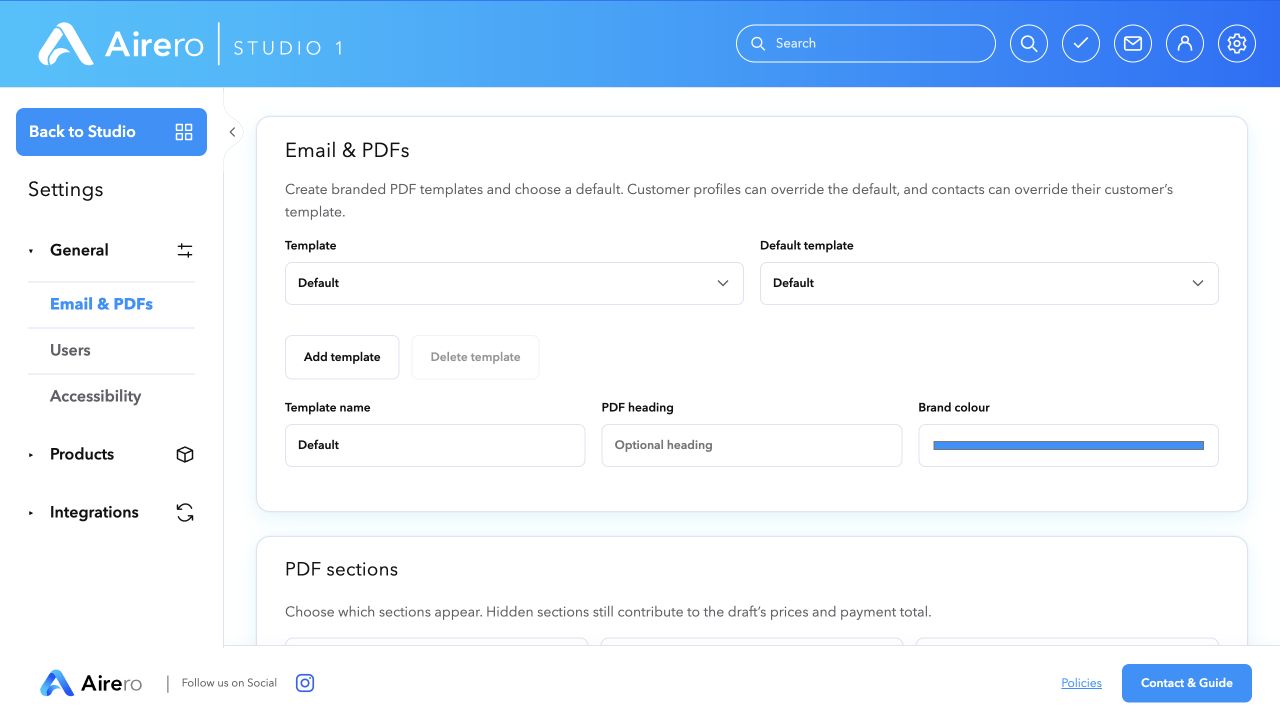
Choose template names, headings, brand colours and defaults; assign templates to customers and contacts.
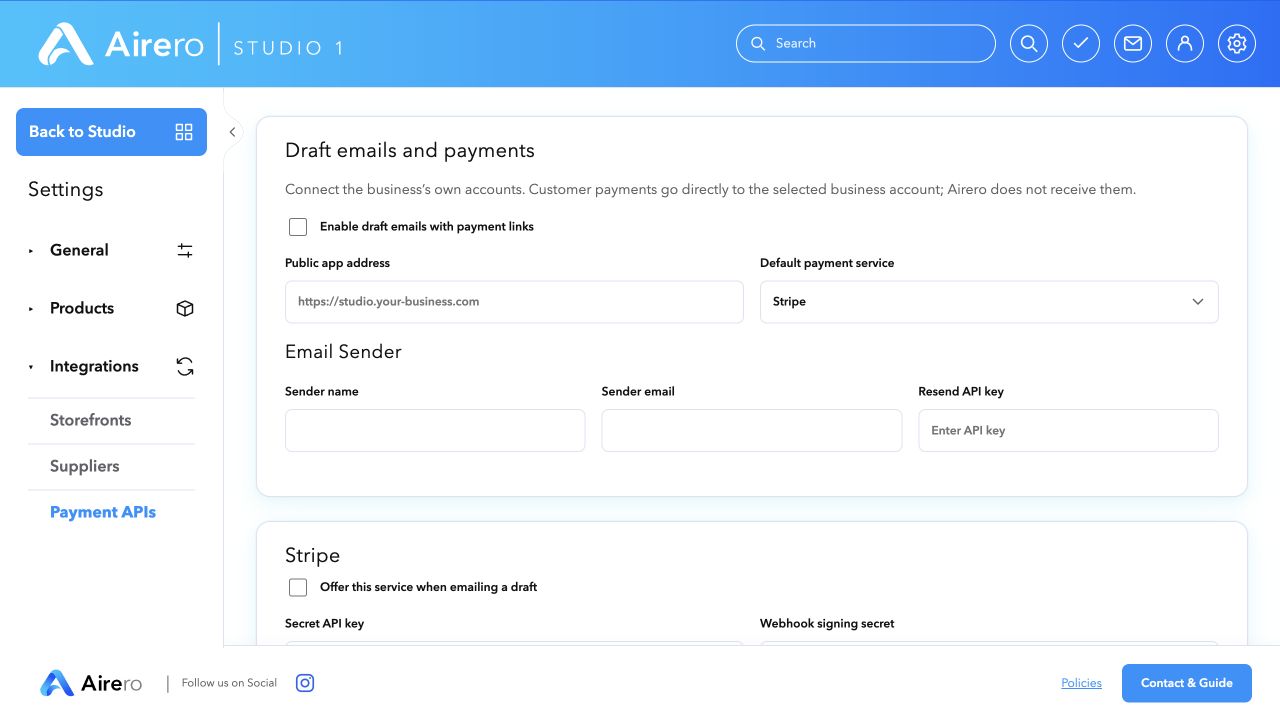
Configure Resend email and Stripe, PayPal or Shopify payment links using the business’s own accounts.
Requires configured provider accounts, a sending domain and a public app address. Live payment transactions were not tested.
Control individual document sections and upload a logo for each template.
Make priorities clearer as the workspace develops.
Review the queue of orders awaiting processing.
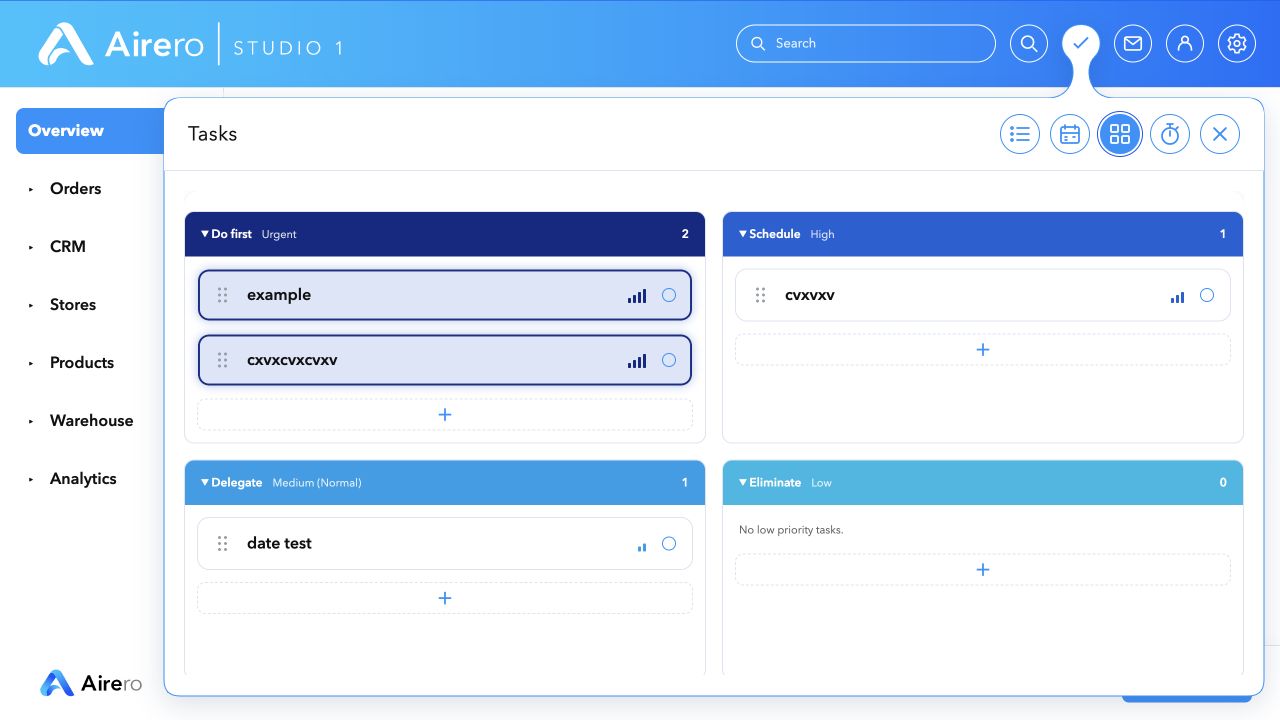
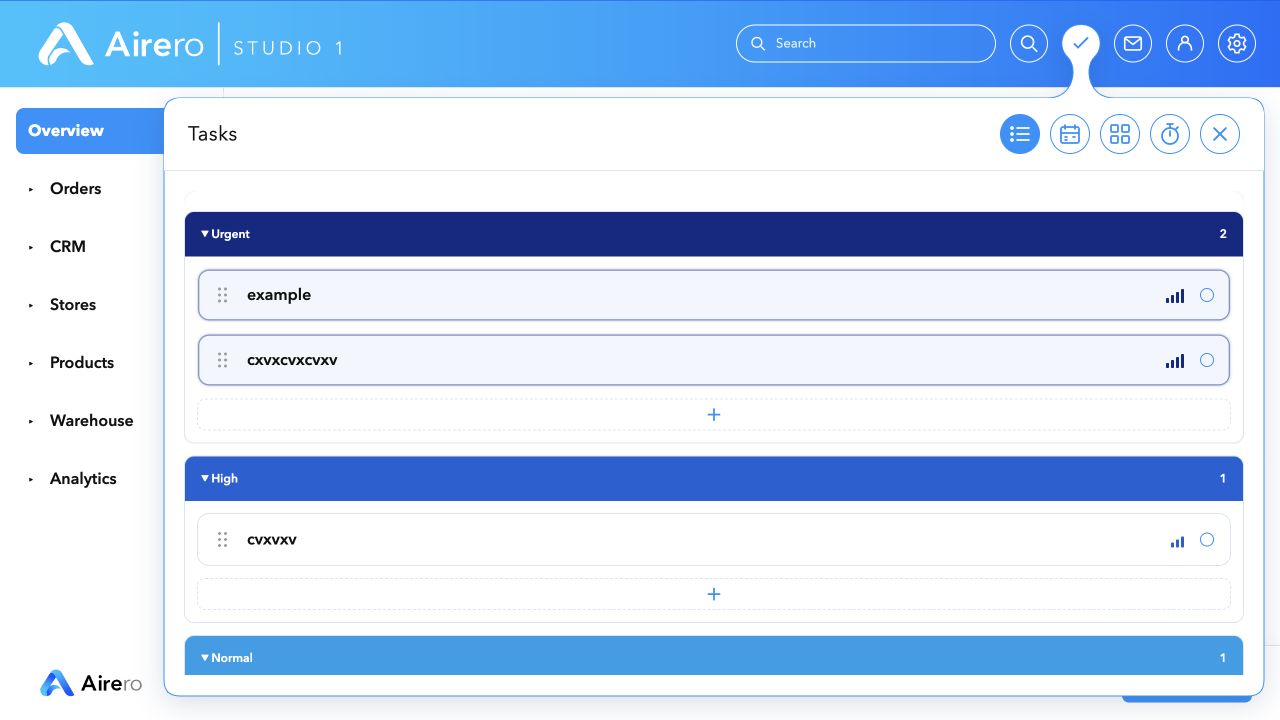
Use task priorities, dates and the matrix view.
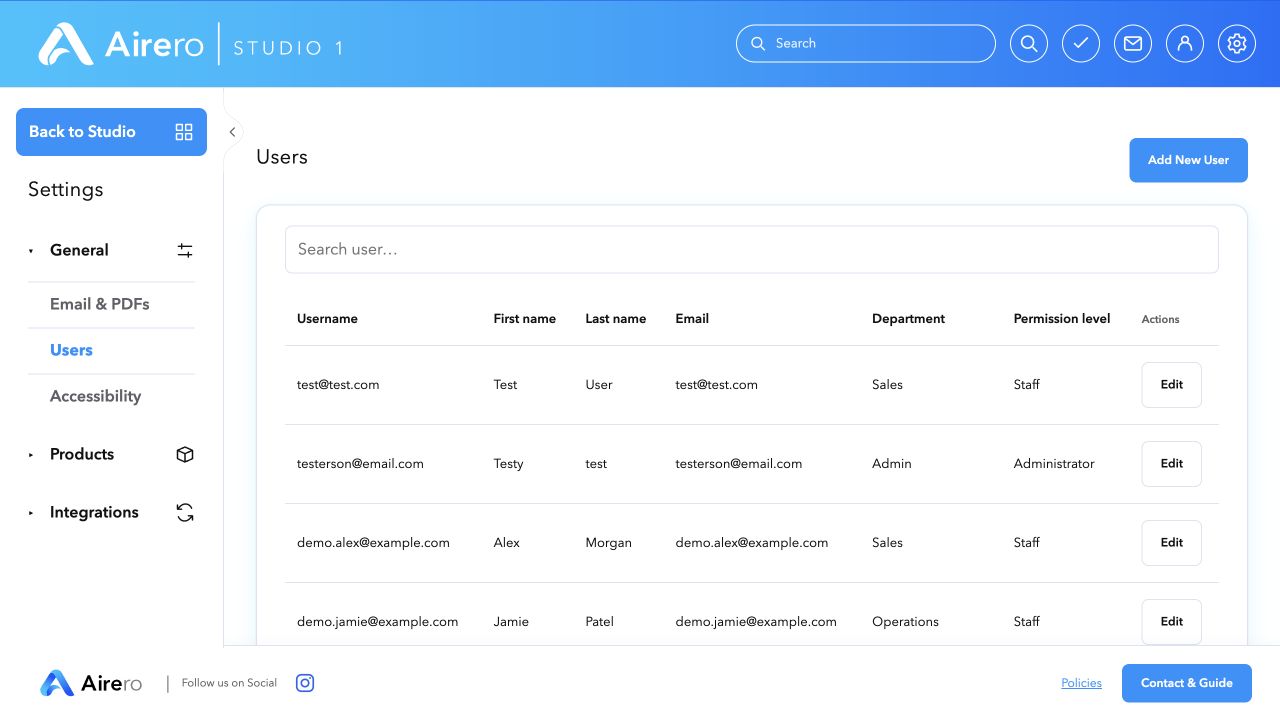
Explore staff profiles and page permissions.
Scroll or swipe to browse · Select a screen to enlarge
See orders awaiting processing; dashboard metrics and target charts currently use sample data.
Dashboard metrics and target charts are sample visualisations; the processing queue uses stored order records.
Organise tasks by priority, assign users, set dates and track completion. Current preview uses browser storage.
Tasks currently use browser storage; shared task collaboration is not yet connected.
Manage staff profiles and page visibility, read and write permissions.
Screens show preview users. Production access controls need verification before live use.
View priorities in an Eisenhower matrix; task tools also include a calendar and Pomodoro timer.
The current task preview uses browser-local storage.
STILL TAKING SHAPE
Warehouse stock, locations, pick lists, manifests and full reporting are planned areas. Shared CRM and task collaboration are not yet complete; internal messaging remains a browser preview.
BE PART OF WHAT’S NEXT
Request launch news and occasional development updates as Airero Studio takes shape.